 CV Creator Pro
Menu
Navigation
AboutAccount
Build a Resume That Wins
Leverage the power of AI to create a professional, ATS-friendly resume in minutes. Our intuitive tools guide you from start to finish.
Seamless Professional CV Creation, Made Easy
See It In Action
Watch how easy it is to create your professional resume
A Powerful Suite of Career Tools
Everything you need to stand out in today's competitive job market.
AI-Powered CV Import
Don't start from scratch. Upload your existing CV (PDF, DOCX) and our AI will intelligently parse and populate all the fields for you in seconds.
Smart Content Generation
Struggling with words? Generate compelling professional summaries and tailored cover letters that highlight your strengths, all with a single click.
Beat the Robots (ATS Analysis)
Analyze your resume against any job description. Our AI identifies crucial missing keywords to ensure your CV gets past automated screeners.
Expert-Designed Templates
Make a memorable first impression. Choose from a library of professional, creative, and ATS-friendly templates designed by hiring experts.
Live Preview & Customization
Your resume, your style. See your changes live as you edit and easily customize fonts, colors, and layouts for a document that is uniquely yours.
Privacy First
Your data is yours. All information is processed and stored locally in your browser, ensuring complete privacy and security. We never see your data.
Designed to Impress
From sleek and modern to timeless and professional, find the perfect look.

Modern Professional
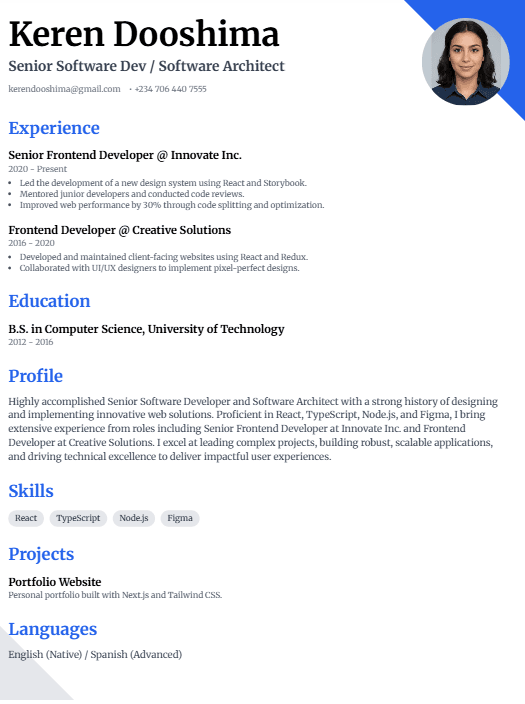
Creative Executive
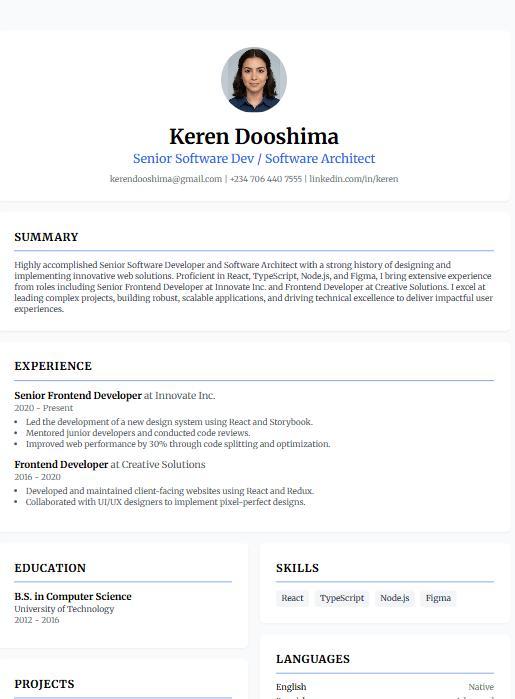
Minimalist Clean

Bold Statement

Classic Elegance

Contemporary Pro

Sophisticated Edge

Executive Premium
Seven Steps to Win Your Next Job
We guide you through to your next job like a Pro
Resume Writing
Create professional resumes with our intuitive editor featuring 15+ modern templates. Choose from ATS-friendly designs to creative layouts that make you stand out.
Cover Letter Creation
Generate compelling, tailored cover letters with AI assistance. Highlight your strengths and align your experience with specific job requirements effortlessly.
Job Match Check
Use AI-powered analysis to compare your resume against job descriptions. Identify missing keywords and optimize your application for better match scores.
ATS Check
Ensure your resume passes Applicant Tracking Systems with our compatibility checker. Get actionable recommendations to improve ATS readability and parsing.
Interview Preparation
Prepare for success with AI-generated interview questions based on your resume and target job. Practice your responses and build confidence before the big day.
Jobs
Search and browse real job listings directly within the application. Find opportunities that match your skills and apply with your optimized resume instantly.
Track Your Job-Seeking Journey
Stay organized with our Job Application Tracker. Monitor application statuses, schedule follow-ups, and manage your entire job search in one place.
Frequently Asked Questions
Got questions? We've got answers.
Yes, absolutely. All core features — including AI content generation, multiple templates, and PDF/DOCX exports — are completely free. We believe everyone deserves access to tools that can help them succeed in their careers.
Your privacy is our top priority. All the data you enter is stored exclusively in your own web browser's local storage. It never touches our servers, meaning we have no access to your personal information.
Yes. We offer a specific category of "ATS-Friendly & Professional" templates that are designed to be easily parsed by automated recruiting software. These templates prioritize clarity, structure, and readability to maximize your chances of getting noticed.
You can export your resume in several popular formats to suit your needs: PDF for universal compatibility, DOCX for easy editing in Microsoft Word, JPEG for a high-quality image, and JSON to back up your data and re-upload it later.
Simply upload your existing resume in PDF or DOCX format, and our advanced AI will automatically extract and populate all your information into the appropriate fields. The AI recognizes sections like work experience, education, skills, and contact details with over 90% accuracy, saving you hours of manual data entry.
Beautiful PDF creates a visually stunning resume with all your chosen fonts, colors, and graphics intact—perfect for networking, direct emails, or when visual appeal matters. ATS-Friendly PDF generates a text-based document optimized for Applicant Tracking Systems, ensuring your resume can be parsed by automated screening software used by companies like Glassdoor, LinkedIn, and Indeed.
No, you can use CV Creator Pro without creating an account. Your data will be stored in your browser's local storage, and you'll have access to all features. However, creating a free account allows you to sync your data across devices, access your CV from anywhere, and ensures your data is backed up in the cloud.
Have more questions? Check out our comprehensive FAQ page with 30+ answers.
Ready to Land Your Dream Job?
Stop struggling with formatting and writer's block. Start building a resume that truly reflects your skills and experience today.